Help Center
How to Review and Approve Your Newsletter
Hi, I just wanted to let you know that as a Super Bundle subscriber, you're eligible to use our new newsletter manager.
This month's newsletter is now ready for you to review, add a photo and personalize your welcome message.
This month's newsletter is now ready for you to review, add a photo and personalize your welcome message.
- Login to your account
httpss://www.yourfreedomproject.com
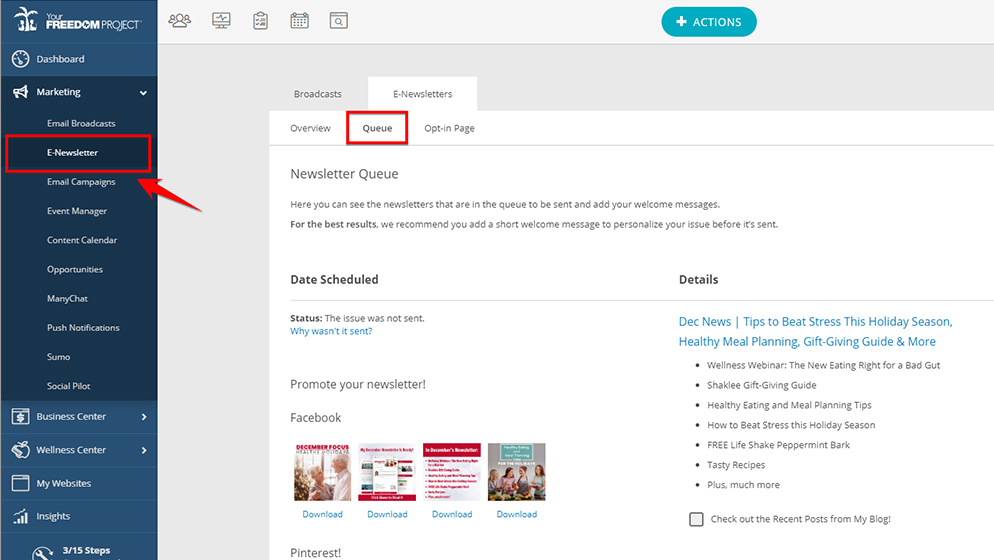
- Click on Marketing on the left side navigation menu
> Click on E-Newsletter
> Go to your Queue
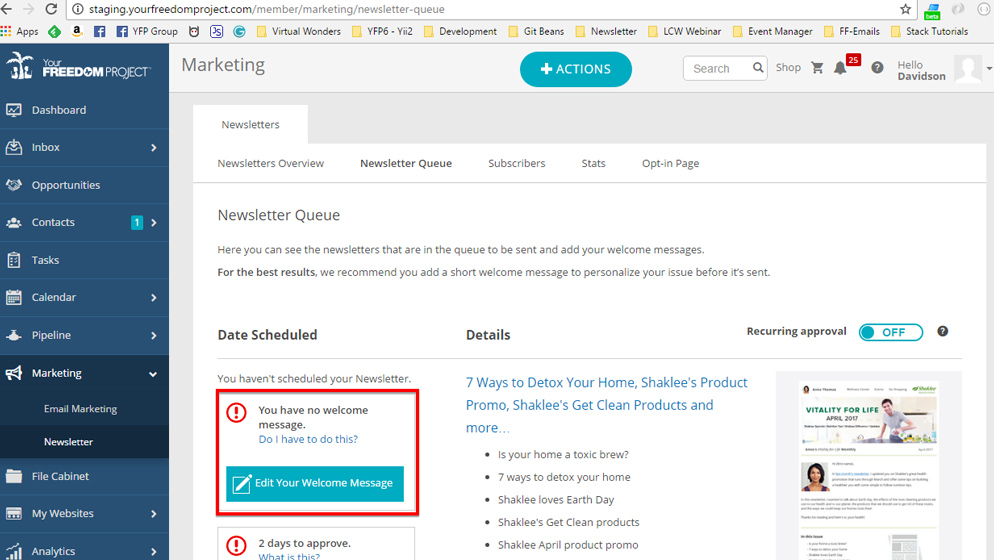
- Click the "Edit Your Welcome Message" button
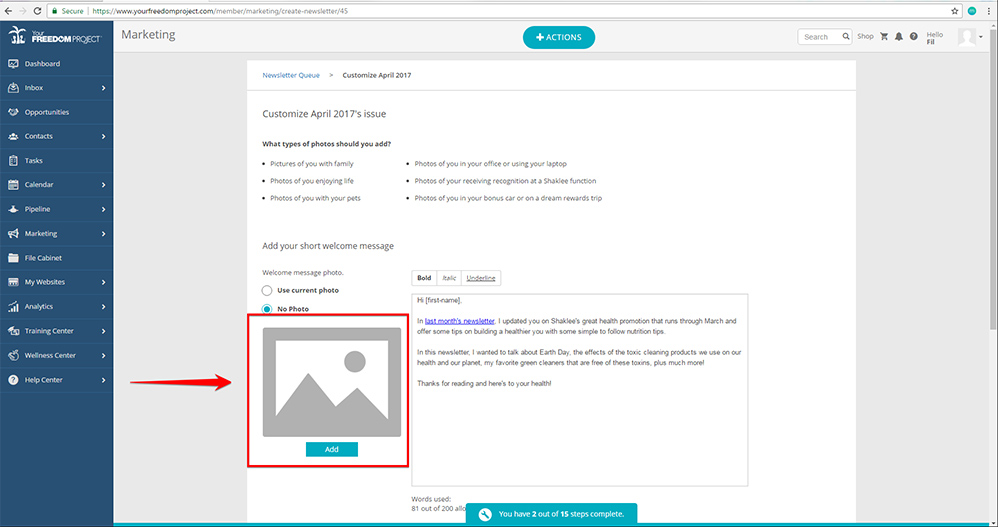
- Edit the default welcome message.
*You can skip this if you're happy with what we wrote for you.
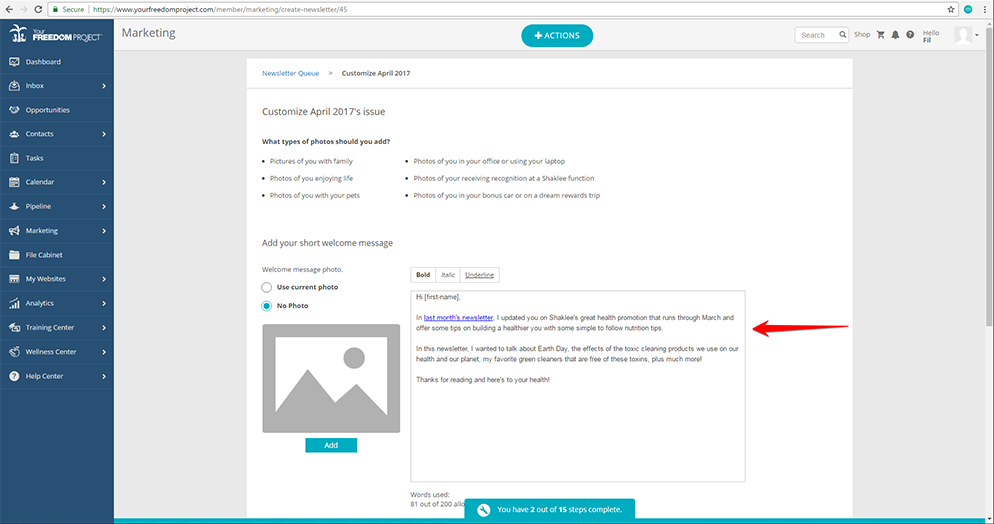
- Add your photo or use a previous photo if you've mailed before.
- Add your short closing message

- Hit Save

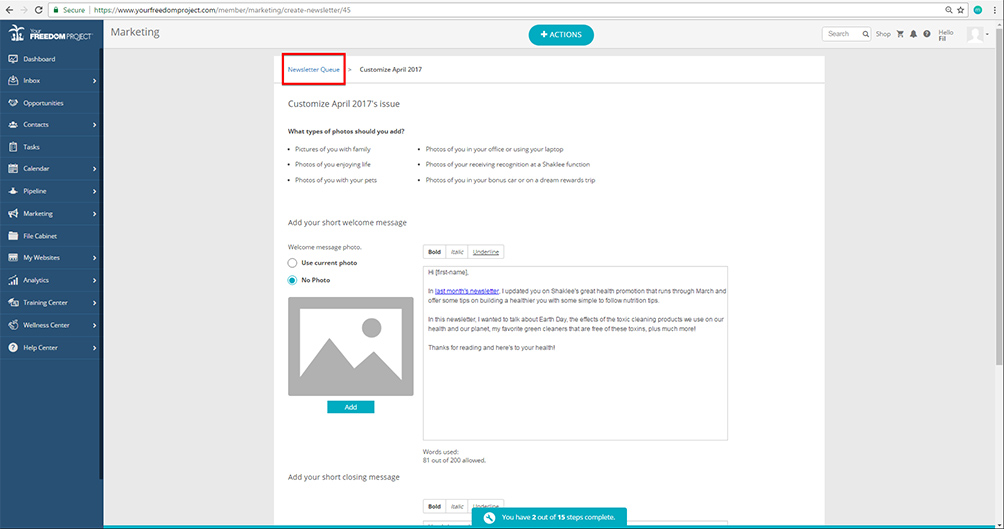
- Go back to your Newsletter Queue
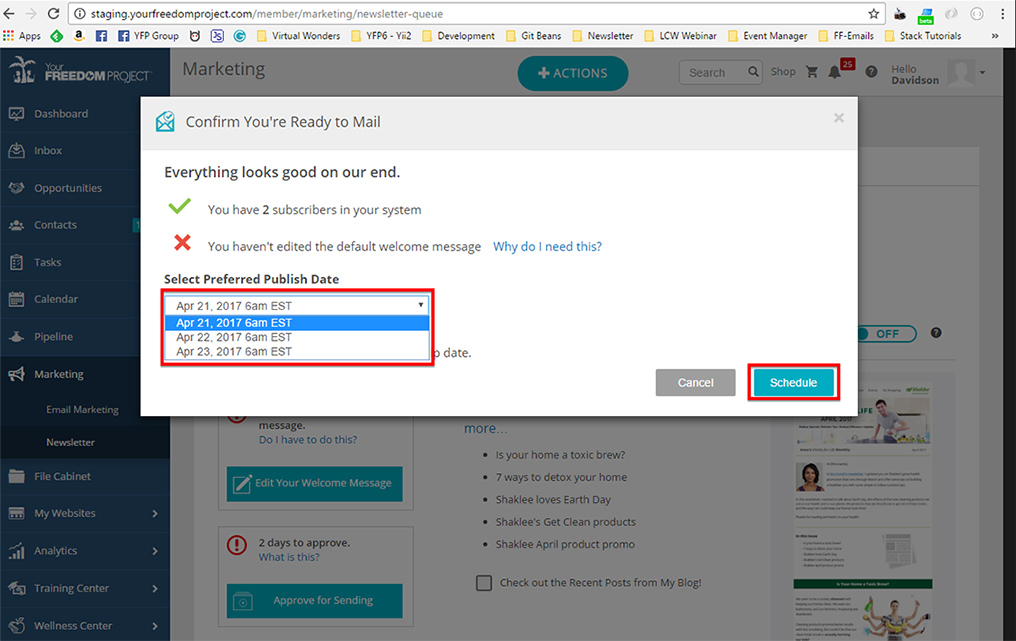
- Click the "Approve for Sending" button
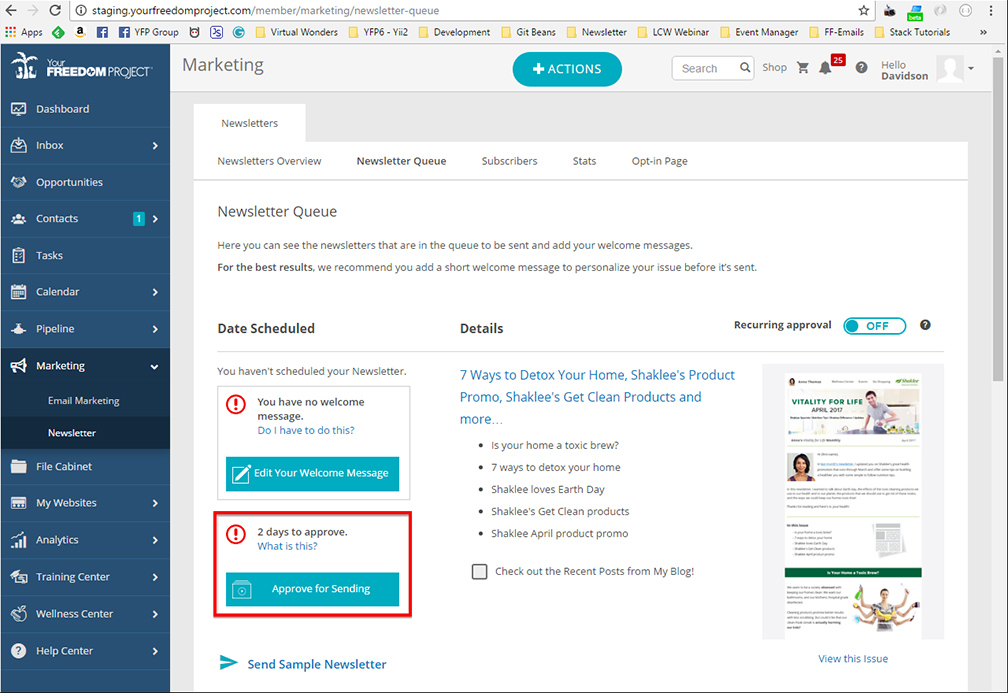
- Select your preferred publish date and click Schedule